
Anúncios
Metal detector apps have transformed smartphones into powerful tools capable of identifying metallic objects nearby, offering practical solutions for everyday needs and adventure seekers alike.

The technology behind these applications leverages the magnetic sensor already built into most modern smartphones. This sensor, originally designed to power compass functionality, can detect fluctuations in magnetic fields caused by ferrous metals. While they may not replace professional metal detecting equipment, these apps provide surprising utility for locating hidden wires, studs in walls, or even lost jewelry around the house.
Anúncios
Whether you’re a DIY enthusiast planning home renovations, a treasure hunting hobbyist, or simply someone who frequently misplaces metal objects, understanding how metal detector apps work and which features to prioritize can enhance your experience significantly. Let’s explore everything you need to know about these fascinating digital tools.
🔍 How Metal Detector Apps Actually Work
Metal detector applications function by accessing your smartphone’s magnetometer sensor, the same component that enables your device to determine directional orientation. This sensor measures the strength of magnetic fields in its immediate vicinity, typically expressed in microteslas (µT).
Anúncios


When a metallic object enters the detection range, it disturbs the ambient magnetic field. Ferrous metals like iron and steel create particularly strong disturbances due to their magnetic properties. The app monitors these fluctuations and translates them into visual or audio feedback, alerting you to the presence of metal nearby.
The detection range varies significantly based on several factors. Your smartphone’s sensor quality plays a crucial role—newer flagship devices generally feature more sensitive magnetometers than budget models. The size and composition of the metal object also matter considerably. A large iron pipe will trigger detection from several inches away, while a small aluminum can might only register at close proximity.
Environmental interference can affect accuracy as well. Electronic devices, power lines, and even reinforced concrete can create magnetic noise that complicates detection. Quality metal detector apps include calibration features to help filter out background interference and improve signal clarity.
📱 Key Features to Look for in Metal Detector Applications
Not all metal detector apps are created equal. The best applications incorporate specific features that enhance usability and detection accuracy. Understanding these capabilities helps you choose the right tool for your specific needs.
Real-Time Measurement Display
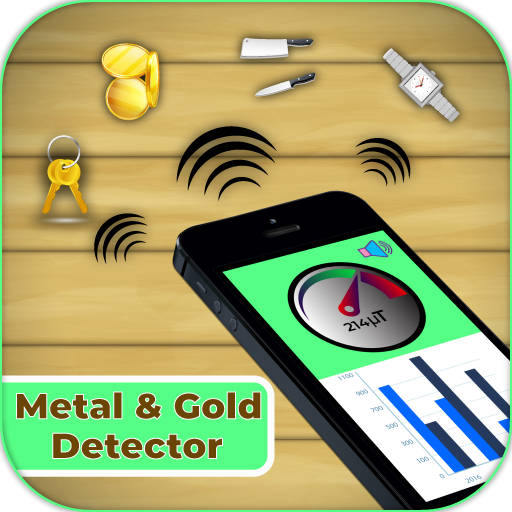
Top-tier apps provide continuous readouts of magnetic field strength, usually displayed in microteslas. This numerical feedback gives you precise information about detection intensity, helping you gauge proximity to metallic objects. Some applications include graphical representations like needle gauges or bar graphs for easier interpretation.
Audio Feedback Systems
Sound alerts free you from constantly watching your screen. Quality apps offer adjustable audio tones that increase in frequency or pitch as you approach metal objects. This hands-free functionality proves especially valuable during wall scanning or outdoor treasure hunting when you need to focus on movement rather than screen monitoring.
Calibration and Sensitivity Controls
Environmental calibration tools help establish baseline readings for your current location, filtering out ambient magnetic interference. Sensitivity adjustment options let you fine-tune detection thresholds—higher sensitivity for small objects or lower settings to ignore minor metallic traces and focus on larger targets.
Historical Data Logging
Advanced applications record detection events, allowing you to review past findings. This feature benefits treasure hunters who want to map productive search areas or contractors documenting hidden infrastructure before drilling or cutting.
🏠 Practical Home Applications for Metal Detection
Metal detector apps shine in household scenarios where professional equipment would be overkill. These digital tools solve everyday problems with convenience and accessibility.
Locating Studs and Beams
Before hanging heavy mirrors, televisions, or shelving, you need to find wall studs for secure mounting. While dedicated stud finders work well, a metal detector app can identify the nails or screws securing drywall to wooden or metal studs. Move your phone slowly across the wall in a grid pattern, marking detection points to reveal stud locations.
Finding Hidden Wiring
Drilling into electrical wiring creates dangerous situations and costly repairs. Metal detector apps help map wire pathways behind walls, especially useful for older homes lacking accurate electrical diagrams. Scan thoroughly before making any penetrations, noting areas with elevated magnetic readings.
Retrieving Lost Metal Objects
Dropped screws in carpeting, lost earrings in beach sand, or keys buried in yard debris—metal detector apps excel at recovering small metallic items. The audio feedback feature particularly aids these searches, allowing you to sweep areas while listening for detection signals rather than watching your screen constantly.
Checking Appliances and Electronics
Curious about internal components? Metal detector apps let you explore the magnetic signatures of various household items. This educational application helps children understand electronics and magnetism while providing adults with insights into device construction.
⚒️ Construction and Renovation Uses
Professional contractors and DIY renovators benefit significantly from metal detection capabilities during projects. These applications prevent accidents and streamline workflows.
Before cutting into walls, floors, or ceilings, thorough scanning prevents accidentally severing pipes, wiring, or structural supports. Metal detector apps provide quick preliminary surveys, though professional-grade equipment remains essential for critical work where safety and building codes demand certainty.
When installing new electrical outlets or plumbing fixtures, identifying existing infrastructure helps you route new installations safely. Scanning reveals metal studs in modern construction, copper pipes in older homes, and conduit pathways that might interfere with planned work.
Floor renovation projects benefit from detecting subfloor fasteners, radiant heating elements, or previous repair patches containing metal components. This advance knowledge prevents damage to expensive cutting tools and underlying systems.
🗺️ Outdoor Exploration and Treasure Hunting
While not replacing dedicated metal detectors for serious prospecting, these apps introduce beginners to treasure hunting fundamentals and provide supplementary tools for outdoor enthusiasts.
Beach and Park Searches
Lost jewelry, coins, and other valuables accumulate in popular recreational areas. Metal detector apps turn casual beach walks into potential treasure hunts. Focus searches near seating areas, playground equipment, and beach volleyball courts where people congregate and items commonly drop from pockets and bags.
Historical Site Exploration
Old homesteads, abandoned properties, and historical gathering places often yield interesting artifacts. Always secure appropriate permissions before searching private or protected lands. Metal detector apps help identify promising areas without investing in expensive equipment, letting you gauge interest before potentially upgrading to professional detectors.
Geocaching Enhancement
Geocaching containers frequently include metal components. When GPS coordinates bring you to the general vicinity, metal detection narrows your search area, reducing time spent examining every rock crevice or tree hollow in frustrating hunts.
🎯 Maximizing Detection Accuracy and Range
Getting optimal performance from metal detector apps requires understanding their limitations and employing proper technique. These strategies improve results significantly.
Proper Calibration Procedures
Always calibrate before beginning searches. Hold your phone away from obvious metal sources and allow the app to establish baseline readings. Some applications use figure-eight motion calibration—move your phone through the air in figure-eight patterns to normalize the sensor across different orientations.
Optimal Movement Speed
Slow, deliberate sweeps yield better results than rapid scanning. Move your phone steadily at approximately one foot per second, maintaining consistent distance from the search surface. Quick movements cause the sensor to miss brief magnetic fluctuations from smaller objects.
Device Positioning
Magnetometer sensors typically locate near the top or bottom of smartphones. Consult your device specifications or experiment to determine exact placement. Once identified, orient your phone to position the sensor closest to the search area for maximum sensitivity.
Eliminating Interference
Remove metal jewelry, watches, and accessories during searches. Keep your phone away from keys, belt buckles, and other personal metal items. When searching indoors, be aware that appliances, speakers, and electronic devices create magnetic fields that interfere with readings.
📊 Understanding Detection Limitations
Realistic expectations prevent disappointment and help you deploy metal detector apps appropriately. These tools have genuine utility but cannot match purpose-built detection equipment.
Depth penetration remains minimal—typically one to three inches maximum for phone-based detection. This shallow range works fine for surface searches and wall scanning but proves inadequate for buried objects beyond a few inches deep. Size matters tremendously; tiny items like pins or thin wires may escape detection while larger metallic masses register clearly.
Non-ferrous metals like aluminum, brass, and copper produce weaker magnetic signatures than iron or steel. Some apps struggle detecting these materials, especially at distance. Gold and silver jewelry, despite their value, often prove particularly challenging due to small size and weak magnetic properties.
Smartphone sensor quality varies dramatically between manufacturers and models. Budget devices may lack magnetometers entirely or feature low-resolution sensors that compromise app performance. Testing your specific device helps establish realistic capabilities for your hardware.
🛠️ Troubleshooting Common Detection Issues
Even the best metal detector apps occasionally produce inconsistent results. Understanding common problems and solutions restores functionality.
Erratic Readings and False Positives
If your app shows wild fluctuations or constant alerts without apparent metal presence, recalibrate thoroughly. Remove yourself from electronic interference sources and perform calibration in an open area away from buildings, vehicles, and power lines. Restart your phone if problems persist, as background processes sometimes interfere with sensor data.
No Detection Response
Lack of readings suggests sensor access issues or hardware limitations. Verify app permissions include sensor access in your phone settings. Test with known metal objects like keys or coins—if these fail to register, your device may lack a functional magnetometer or the sensor may require professional hardware diagnostics.
Inconsistent Detection Ranges
Detection distance varies with object composition, size, and orientation. Large ferrous items register from several inches away, while thin aluminum might require near-contact. Adjust expectations based on search targets and conduct test runs with reference objects to establish baseline capabilities for your equipment and app combination.
🌟 Educational Applications and Learning Opportunities
Beyond practical detection tasks, these apps serve valuable educational purposes for students, hobbyists, and curious minds exploring physics and technology.
Magnetism concepts become tangible when you can visualize field strength changes in real-time. Students conducting science projects can map magnetic fields around bar magnets, electromagnets, or household items, creating graphs and documentation from app data outputs.
Understanding sensor technology demystifies smartphone capabilities. Exploring how magnetometers function, learning about tesla measurements, and discovering the relationship between electricity and magnetism provides STEM learning opportunities accessible through everyday devices.
Metal identification exercises teach material recognition skills. Challenge yourself or students to determine object composition based on magnetic signatures—ferrous versus non-ferrous metals, solid versus hollow construction, and size estimation through signal strength analysis.
💡 Choosing the Right Metal Detector App
With numerous options available across app stores, selecting the optimal application for your needs requires evaluating specific criteria and testing multiple options.
User interface design impacts usability significantly. Look for clean, intuitive layouts with clearly displayed measurements and easily accessible controls. Cluttered interfaces with excessive advertisements distract from functionality and frustrate users during time-sensitive tasks.
Read user reviews carefully, focusing on comments about accuracy, reliability, and developer support. Apps with regular updates demonstrate ongoing maintenance and compatibility improvements for new devices and operating system versions.
Privacy considerations matter—review permission requests before installation. Legitimate metal detector apps only require sensor access; be suspicious of applications requesting contacts, photos, or location data unnecessary for detection functionality.
Free versus premium options present cost-benefit decisions. Many excellent free apps include advertisements but deliver solid performance. Premium versions typically remove ads and may include advanced features like data export, customizable interfaces, or enhanced calibration tools. Trial free versions first before purchasing upgrades.
🚀 Future Developments in Mobile Metal Detection
Technology continues advancing rapidly, promising enhanced capabilities for future metal detector applications and smartphone sensors.
Improved magnetometer resolution in upcoming smartphone generations will increase detection range and sensitivity. Manufacturers recognize diverse sensor applications beyond navigation, investing in better hardware that benefits metal detection performance as a secondary advantage.
Machine learning integration could revolutionize object identification. Training algorithms to recognize signature patterns of specific metals or common items would transform generic detection into intelligent identification—imagine apps that distinguish between copper pipes, steel beams, and aluminum wiring based on magnetic characteristics.
Augmented reality overlays represent exciting possibilities. Future apps might display detected objects visually through your camera view, superimposing location markers and identification labels directly onto live video feeds as you scan walls or search areas.
Multi-sensor fusion combining magnetometer data with other smartphone sensors could enhance accuracy. Integrating accelerometer information for movement tracking, GPS for location logging, and camera input for visual documentation would create comprehensive detection platforms far beyond current capabilities.
🎓 Safety Considerations and Best Practices
While metal detector apps pose minimal direct risks, following safety guidelines ensures positive experiences and prevents accidents during detection activities.
Never rely exclusively on app readings before drilling, cutting, or penetrating walls and surfaces. Professional detection equipment provides verification for critical tasks involving electrical systems, plumbing, or structural elements where errors cause injury or property damage.
When conducting outdoor searches, respect private property and secure permissions before exploring. Research local regulations regarding metal detecting in parks, beaches, and historical sites—many jurisdictions restrict artifact removal without permits.
Supervise children using detection apps outdoors. While the applications themselves pose no danger, treasure hunting activities may lead kids into unsafe areas, near water hazards, or onto private property without understanding boundaries.
Protect your phone during detection activities. Consider durable cases for outdoor use and screen protectors to prevent damage from drops or environmental exposure. Keep devices away from water when beach hunting and avoid extreme temperatures that harm battery life.
✨ Embracing the Versatility of Digital Detection
Metal detector apps represent remarkable examples of smartphone versatility, transforming existing hardware into useful tools through clever software. While they cannot match dedicated metal detectors in range, depth, or discrimination capabilities, these applications provide accessible solutions for common detection needs.
From practical home maintenance tasks to recreational treasure hunting adventures, metal detector apps deliver genuine utility. Their greatest strength lies in convenience—you always carry your phone, making detection capability perpetually available for unexpected needs without additional equipment investment.
As sensor technology advances and software becomes increasingly sophisticated, these applications will only improve. Whether you’re a contractor scanning walls, a homeowner hanging pictures, or an adventurer exploring beaches, metal detector apps offer valuable functionality literally at your fingertips.
Download one today and discover the hidden metallic world surrounding you. You might be surprised by what you find just beneath the surface, both in your home and in understanding the remarkable capabilities of the device you carry every day. The intersection of everyday technology and practical problem-solving creates opportunities for exploration, learning, and discovery accessible to everyone with a smartphone.