
Anúncios
Remote control apps have revolutionized how we interact with our devices, transforming smartphones into powerful universal remotes that can manage TVs, air conditioners, and countless smart home gadgets.

Gone are the days when losing your TV remote meant searching through couch cushions or being stuck with channels you didn’t want to watch. Today’s remote control applications offer seamless connectivity, intuitive interfaces, and compatibility with hundreds of device brands. Whether you’re lounging on your sofa or adjusting settings from across the room, these apps provide convenience that physical remotes simply can’t match.
Anúncios
The evolution of remote control technology has been remarkable. From infrared signals to Wi-Fi connectivity, these applications have become increasingly sophisticated, offering features that extend far beyond basic channel changing. Let’s explore everything you need to know about remote control apps and how they’re reshaping our digital lifestyles.
📱 What Makes Remote Control Apps So Popular?
The surge in remote control app popularity isn’t accidental. These applications address real problems that millions of people face daily. Traditional remotes get lost, run out of batteries, or simply stop working at the worst possible moments. Your smartphone, however, is almost always within reach, making it the perfect replacement device.
Anúncios
Remote control apps leverage technology that already exists in most modern smartphones. Many devices come equipped with infrared blasters, while others rely on Wi-Fi or Bluetooth connections to communicate with smart devices. This built-in hardware transforms your phone into a universal controller capable of managing multiple devices simultaneously.
The convenience factor cannot be overstated. Imagine controlling your TV, sound system, streaming device, and air conditioner all from a single app interface. No more juggling multiple remotes or trying to remember which button does what on each device. Everything consolidates into one user-friendly application that fits in your pocket.


🔧 How Remote Control Apps Actually Work
Understanding the technology behind remote control apps helps you appreciate their versatility. Most applications use one of three primary connection methods: infrared (IR), Wi-Fi, or Bluetooth. Each method has distinct advantages depending on your device and usage scenario.
Infrared technology mimics traditional remote controls by sending light signals that aren’t visible to the human eye. Your smartphone’s IR blaster emits these signals, which your TV or other device receives and interprets as commands. This method requires line-of-sight between your phone and the device, just like physical remotes.
Wi-Fi-based remote apps connect to devices through your home network. This approach offers greater flexibility since you don’t need direct line-of-sight. You can control your smart TV from another room or even when you’re away from home, provided both your phone and the device maintain internet connectivity.
Bluetooth connections provide a middle ground, offering reliable short-range control without requiring network infrastructure. This method works particularly well for audio devices, gaming consoles, and newer smart home gadgets designed with Bluetooth compatibility in mind.
✨ Key Features That Define Quality Remote Apps
Not all remote control applications are created equal. The best ones share certain characteristics that elevate them above basic alternatives. When evaluating options, look for these essential features that indicate a well-designed, functional app.
Comprehensive device compatibility stands at the top of the list. Premium remote apps support hundreds or even thousands of device brands and models. This extensive compatibility ensures you can control everything from mainstream Samsung and LG products to lesser-known brands that might not have dedicated remote apps.
Intuitive interface design makes or breaks the user experience. The best apps feature clean layouts with clearly labeled buttons that mirror familiar remote control designs while adding smart enhancements. Customizable interfaces allow you to arrange buttons according to your preferences, creating personalized control schemes.
Smart features distinguish exceptional apps from mediocre ones. Look for voice control integration, macro commands that execute multiple actions with a single tap, and schedule functions that automate routine tasks like turning on your TV at specific times. Advanced apps even offer streaming service shortcuts that take you directly to Netflix, YouTube, or other platforms.

🏠 Transforming Your Smart Home Experience
Remote control apps serve as gateways to comprehensive smart home management. As homes become increasingly connected, having a centralized control application becomes not just convenient but essential for efficient device management.
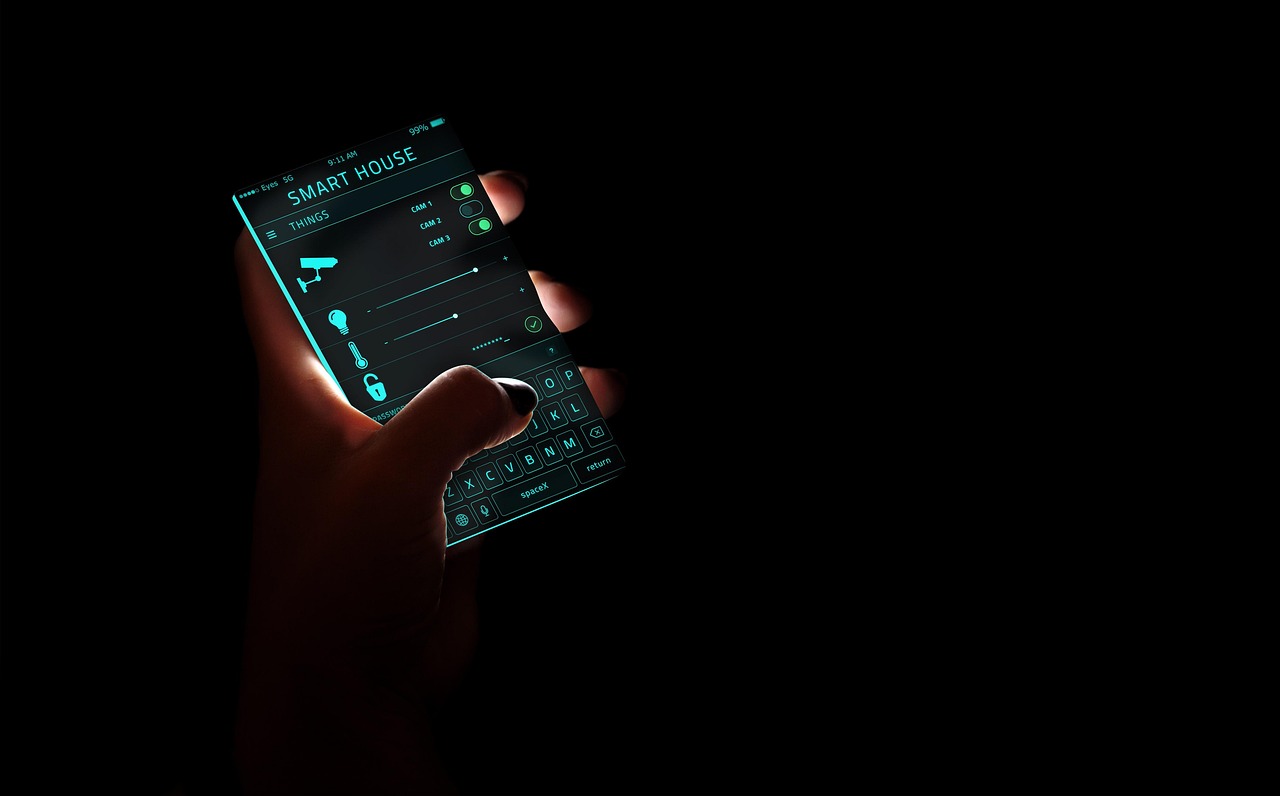
Modern remote apps extend beyond entertainment devices. You can control smart lighting systems, adjust thermostats, manage security cameras, and operate smart plugs all from the same interface that controls your television. This integration creates a cohesive ecosystem where all your devices communicate seamlessly.
The ability to create scenes or routines amplifies this convenience. Picture this: a single tap on your “Movie Night” button dims the lights, closes the smart blinds, turns on your TV, launches your streaming service, and adjusts the room temperature to your preferred setting. Remote control apps make these sophisticated automations accessible to everyone.
🎯 Choosing the Right Remote Control App for Your Needs
With dozens of remote control applications available, selecting the right one requires careful consideration of your specific requirements. Start by identifying which devices you want to control and verify that your prospective app supports those models.
Consider whether your smartphone has an infrared blaster. If it does, you’ll have access to more apps and greater compatibility with older devices. If not, focus on Wi-Fi and Bluetooth-based applications that work with smart TVs and modern entertainment systems.
Read user reviews carefully, paying attention to comments about reliability and connection stability. An app might advertise extensive features, but if it frequently disconnects or crashes during use, those features become meaningless. Look for apps with consistent positive feedback regarding performance and stability.
Free versus paid apps present another consideration. Many excellent remote control apps operate on freemium models, offering basic functionality free while charging for premium features. Evaluate whether the free version meets your needs or if the paid features justify the investment.
💡 Troubleshooting Common Remote App Issues
Even the best remote control apps occasionally encounter problems. Understanding common issues and their solutions helps you maintain smooth operation and quickly resolve disruptions when they occur.
Connection failures rank among the most frequent complaints. If your app won’t connect to your device, first verify that both your smartphone and the target device are on the same Wi-Fi network. Restart your router, phone, and the device you’re trying to control. Often, this simple step resolves temporary communication glitches.
Compatibility problems sometimes arise after device firmware updates. Manufacturers occasionally change how their products communicate, breaking previously functional app connections. Check for app updates that address these changes, and consider visiting developer forums where solutions to specific compatibility issues are often discussed.
Button mapping errors can frustrate users when commands don’t execute as expected. Most quality apps allow manual button configuration. Spend time customizing your remote layout, testing each button to ensure it performs the correct function. Save different profiles for different devices to maintain organization.
🔐 Security Considerations for Remote Control Apps
Using your smartphone to control home devices introduces security considerations that deserve attention. Remote control apps access your home network and communicate with valuable electronics, making security practices essential.
Only download remote control applications from official app stores like Google Play Store or Apple App Store. Third-party app sources pose significant risks, potentially installing malware that could compromise your device and network security. Official stores vet applications for malicious code, providing an important security layer.
Review the permissions each app requests before installation. A legitimate remote control app needs network access and perhaps camera permissions for setup purposes. Be suspicious of apps requesting unnecessary permissions like contact access or location services that aren’t relevant to remote control functionality.
Keep your remote control apps updated alongside your device operating systems. Developers regularly patch security vulnerabilities, and running outdated software exposes you to known exploits. Enable automatic updates when possible to ensure you’re always protected with the latest security improvements.
🌟 Advanced Features Worth Exploring
Beyond basic remote control functionality, many apps offer advanced capabilities that significantly enhance their utility. Exploring these features unlocks the full potential of your remote control application.
Gesture controls represent an innovative approach to device management. Swipe patterns can adjust volume, change channels, or navigate menus more intuitively than traditional button presses. Some apps even support motion controls, letting you point your phone like a magic wand to control on-screen cursors.
Keyboard input functionality proves invaluable when searching for content on smart TVs. Typing on traditional TV remotes is tedious and frustrating. Remote apps transform your smartphone’s keyboard into an input device, making searches and login credentials much easier to enter.
Screen mirroring capabilities let you view your phone’s display on your television. Share photos with family, present slides during meetings, or stream mobile games to the big screen. This feature bridges the gap between mobile content and home entertainment systems.
📊 Comparing Popular Remote Control Applications
While we won’t name specific competitors, understanding how different apps compare helps you make informed decisions. Remote control applications generally fall into several categories based on their primary focus and feature sets.
Universal remote apps attempt to control everything, supporting wide device ranges across multiple categories. These apps work well for users with diverse device ecosystems who want one-stop control solutions. They typically offer the most extensive device libraries and regular compatibility updates.
Brand-specific apps come from device manufacturers like Samsung, LG, or Sony. These applications offer deep integration with their respective products, providing access to features that third-party apps might miss. However, they only work with devices from their parent company, limiting their usefulness in mixed-brand households.
Specialty remote apps focus on specific device types like streaming boxes, projectors, or audio systems. If you have particular needs around one device category, these focused applications often provide superior functionality compared to general-purpose alternatives.
🚀 The Future of Remote Control Technology
Remote control apps continue evolving rapidly, incorporating emerging technologies that promise even greater convenience and functionality. Understanding these trends helps you anticipate future developments and make forward-thinking choices.
Artificial intelligence integration stands at the forefront of remote control evolution. AI-powered apps learn your viewing habits, suggesting content based on your preferences and automatically adjusting settings to match different scenarios. Voice assistants like Google Assistant and Alexa increasingly integrate with remote apps, enabling natural language commands.
Augmented reality features are beginning to appear in premium applications. Point your phone’s camera at a device, and the app overlays control interfaces directly on your screen, showing you exactly which device you’re controlling. This visual feedback eliminates confusion in rooms with multiple devices.
Cross-platform synchronization ensures your settings, favorites, and custom configurations follow you across devices. Start watching something on your TV, continue on your tablet, and finish on your smartphone with seamless transitions managed through your remote control app.
🎬 Maximizing Your Remote Control App Experience
Getting the most from your remote control application requires more than just installation. Implementing best practices and optimization strategies ensures you enjoy smooth, reliable operation that truly simplifies your daily routine.
Take time during initial setup to properly configure all your devices. While this might seem tedious, thorough initial configuration prevents frustration later. Test every function, customize button layouts to match your preferences, and save device profiles with descriptive names that make them easy to identify.
Maintain a stable home network for Wi-Fi-based remote apps. Position your router centrally, minimize interference from other electronics, and consider upgrading to mesh networking if you have a large home. Strong, consistent connectivity directly impacts your remote app’s responsiveness and reliability.
Create shortcuts and favorites for frequently used functions. Most apps allow you to build custom quick-access menus featuring your most-used channels, streaming services, or control sequences. Investing a few minutes in customization saves countless seconds every time you use the app.
Regular maintenance keeps your remote control app performing optimally. Periodically clear the app cache, uninstall and reinstall if you notice performance degradation, and review settings to ensure they still match your needs as your device ecosystem evolves.
💬 User Community and Support Resources
The community surrounding remote control apps provides valuable resources for troubleshooting, discovering features, and staying informed about updates. Engaging with these communities enhances your overall experience and helps you solve problems quickly.
Developer forums and official support channels offer direct access to technical assistance. When you encounter issues that basic troubleshooting can’t resolve, these resources connect you with experts who understand the app’s inner workings. Many developers actively monitor their forums, responding to user questions and gathering feedback for future updates.
Social media groups dedicated to smart home technology and remote control apps create spaces where users share tips, discuss compatibility issues, and recommend solutions. These peer-to-peer interactions often surface creative uses and workarounds that official documentation might not cover.
Video tutorials on platforms like YouTube demonstrate setup processes, feature walkthroughs, and troubleshooting techniques. Visual learners particularly benefit from these resources, which show exactly how to accomplish specific tasks rather than just describing them textually.
🌐 Environmental and Practical Benefits
Remote control apps deliver benefits extending beyond mere convenience. Their adoption contributes to environmental sustainability while offering practical advantages that improve quality of life in subtle but meaningful ways.
Reducing electronic waste represents a significant environmental advantage. Traditional remotes require batteries that eventually end up in landfills, and the remotes themselves become trash when devices are upgraded. Remote control apps eliminate this waste stream entirely, contributing to more sustainable technology consumption patterns.
Accessibility improvements make remote control apps particularly valuable for users with physical limitations. Customizable interfaces can feature larger buttons, simplified layouts, or voice control options that accommodate various mobility challenges. This inclusive design ensures everyone can easily manage their home entertainment systems.
The financial savings, while modest, accumulate over time. No more purchasing replacement remotes when the originals break or get lost. No battery costs. No need for multiple remotes when one app handles everything. These small savings multiply across years of use.
Remote control applications have fundamentally changed how we interact with our entertainment and smart home devices. They offer unprecedented convenience, powerful features, and flexibility that traditional remotes can’t match. Whether you’re tech-savvy or just beginning your smart home journey, these apps provide intuitive, accessible control that simplifies daily life. By choosing the right application, properly configuring your devices, and exploring advanced features, you unlock a seamless experience that transforms your smartphone into the ultimate universal remote control.