
Anúncios
Amazon Alexa has revolutionized how we interact with technology at home, and the Alexa app serves as the central hub for managing your smart ecosystem efficiently.

Whether you’re setting up your first Echo device or managing an entire network of smart home gadgets, the Alexa app provides an intuitive interface that puts complete control at your fingertips. From configuring voice commands to exploring thousands of Skills, this mobile application transforms your smartphone into a powerful remote control for your connected lifestyle.
Anúncios
The app’s versatility extends beyond simple device management. It enables you to customize routines, control music playback, manage shopping lists, and even communicate with family members through Drop In features. Understanding how to maximize the Alexa app’s capabilities can significantly enhance your daily productivity and home automation experience.
🚀 Getting Started with the Alexa App
Downloading and installing the Alexa app marks your first step into Amazon’s voice-controlled ecosystem. Available for both iOS and Android devices, the application requires minimal system resources while delivering comprehensive functionality. The setup process typically takes just minutes, guiding you through account creation and device pairing with clear, step-by-step instructions.
Anúncios
Once installed, the app immediately scans for nearby Echo devices and compatible smart home products. The interface welcomes new users with helpful tutorials explaining core features and navigation. You’ll notice the clean design prioritizes accessibility, making advanced features discoverable without overwhelming newcomers to smart home technology.
The initial configuration allows you to personalize Alexa’s voice, language preferences, and measurement units. You can also link your Amazon Prime account for seamless music streaming and shopping integration. These foundational settings establish how Alexa responds to your household’s unique needs and preferences.


📱 Navigating the Interface Like a Pro
The Alexa app organizes its features across several main sections accessible through a bottom navigation bar. The Home screen displays recent activity, suggested Skills, and quick access to frequently used controls. This dashboard approach keeps your most important functions immediately available without excessive scrolling or menu diving.
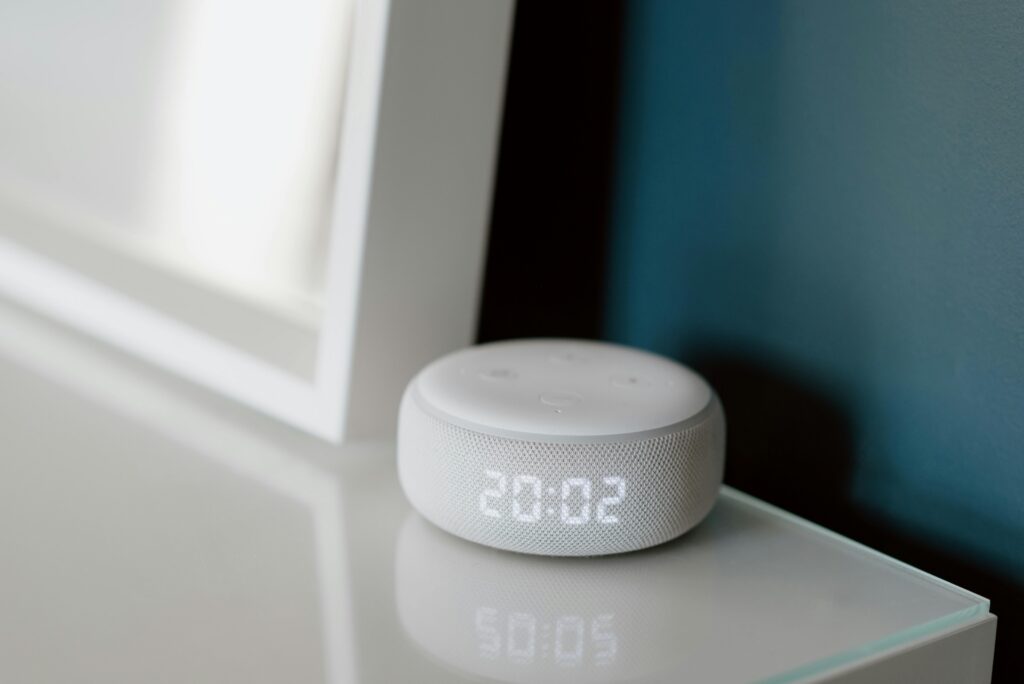
The Devices tab serves as your control center for all connected hardware. Here you’ll find every Echo speaker, smart plug, light bulb, thermostat, and camera linked to your account. Tapping any device reveals detailed settings, status information, and device-specific options that would otherwise require voice commands to access.
Communication features occupy their own dedicated section where you can send messages, make calls, or use Drop In to connect with other Alexa devices. The Play section consolidates all your entertainment options including music services, podcasts, audiobooks, and radio stations. This centralized approach eliminates the need to jump between multiple apps for media control.
🎯 Mastering Skills and Customization
Alexa Skills represent third-party applications that expand your assistant’s capabilities exponentially. The app’s Skills section functions like an app store specifically for voice commands, featuring thousands of options across categories like productivity, games, news, health, and education. Each Skill listing includes descriptions, user reviews, and privacy information to help you make informed choices.
Enabling Skills requires just a single tap, though some may request additional permissions or account linking. Popular Skills include meditation guides, recipe assistants, trivia games, and smart home integrations for brands not natively supported by Alexa. Regular exploration of the Skills library reveals new functionalities that can automate tasks you never considered delegating to a voice assistant.
Custom Routines represent the app’s most powerful automation feature. These allow you to trigger multiple actions with a single phrase or scheduled time. For example, saying “good morning” could turn on lights, read your calendar, start the coffee maker, and deliver a weather briefing. Creating Routines through the app’s visual interface proves far easier than attempting to configure them through voice commands alone.

🏠 Smart Home Integration and Control
The Alexa app excels as a unified control panel for disparate smart home ecosystems. Rather than juggling separate applications for lighting, security, climate, and entertainment systems, you can manage everything from a single interface. The app automatically discovers compatible devices on your network, though manual addition remains available for stubborn hardware.
Grouping devices by room or function streamlines control significantly. Creating a “Living Room” group containing your TV, soundbar, smart bulbs, and blinds enables simultaneous control through single commands. These groups also improve Alexa’s contextual understanding when you issue voice commands from specific Echo devices within those rooms.
Advanced users appreciate the app’s Scene functionality, which saves specific device state combinations for instant recall. A “Movie Night” scene might dim lights to 20%, close blinds, turn on the TV, and adjust the thermostat—all activated with one tap or voice command. This level of orchestration transforms ordinary homes into responsive environments that adapt to your activities.
🎵 Music and Entertainment Management
The Alexa app serves as a sophisticated remote control for audio playback across all your Echo devices. The Now Playing screen displays album artwork, lyrics, and playback controls regardless of which streaming service you’re using. You can seamlessly transfer music between rooms or create multi-room audio groups that play synchronized sound throughout your home.
Linking music services happens directly within the app, supporting platforms like Amazon Music, Spotify, Apple Music, Pandora, and dozens of others. You’ll designate a default service for voice requests while maintaining the flexibility to specify alternatives when desired. Podcast enthusiasts can subscribe to shows and manage episodes without opening separate podcast applications.
The app also functions as a discovery tool for new music and audio content. Amazon’s algorithms suggest playlists and stations based on your listening history, while curated collections highlight seasonal or trending content. You can create custom playlists, save favorite albums, and set sleep timers—all features that enhance the listening experience beyond basic playback control.
🔔 Notifications and Communication Features
Alexa’s communication capabilities transform Echo devices into household intercom systems. The app enables free voice and video calls to other Alexa users, functioning as a capable alternative to traditional phone services for supported contacts. Drop In takes this further by allowing instant connections to specific devices, perfect for checking on elderly relatives or calling kids for dinner.
Announcements broadcast messages to all Echo devices simultaneously, ensuring everyone hears important information regardless of their location in the home. You can send announcements remotely through the app, useful for letting family know you’re running late or reminding them about scheduled activities. These features prove particularly valuable in larger homes where shouting between floors is impractical.
The app manages notification preferences for Alexa’s various alert types. You can enable chimes for package deliveries, reminders, timer completions, or smart home events like doors opening. Fine-tuning these settings prevents notification fatigue while ensuring you never miss truly important alerts that require your attention.
🛡️ Privacy and Security Settings
Amazon provides extensive privacy controls accessible through the app’s settings menu. The Voice History section displays every interaction with Alexa, allowing you to review recordings and delete them individually or in bulk. You can configure automatic deletion on rolling schedules of three or eighteen months, balancing personalization benefits against privacy preferences.
The app clearly indicates when microphones are active and allows you to disable specific Echo device features temporarily. You can prevent Drop In connections, disable the camera on Echo Show devices, or mute microphones entirely. These granular controls empower users to customize their privacy comfort level without sacrificing all smart assistant benefits.
Two-factor authentication adds an essential security layer to your Amazon account, protecting against unauthorized access to your smart home controls and personal information. The app guides you through enabling this protection, which requires verification codes when logging in from new devices. Regular security checkups remind you to review connected Skills and remove those you no longer use.
📊 Activity Tracking and History
The app maintains comprehensive logs of all Alexa interactions, providing valuable insights into usage patterns. This history proves useful when troubleshooting unrecognized commands or reviewing what happened when you weren’t present. You can filter activity by date, device, or interaction type to quickly locate specific exchanges.
Shopping lists and to-do lists sync automatically between the app and all Echo devices, ensuring updates appear everywhere instantly. Many users find managing these lists easier through the app’s keyboard interface rather than dictating items verbally, especially for complex entries or precise quantities. Completed items remain visible temporarily, allowing you to uncheck accidentally marked tasks.
Reminders and alarms created through voice commands appear in the app for editing or deletion. This visibility prevents confusion about which device will sound an alarm and allows you to adjust timing without issuing additional voice commands. The visual interface also makes it easier to set complex recurring schedules than voice descriptions permit.
🌐 Multi-User Households and Voice Profiles
Voice profiles enable Alexa to recognize individual household members and personalize responses accordingly. Setting up profiles through the app requires each person to read sample phrases, training Alexa to distinguish their voice patterns. Once configured, Alexa delivers personalized calendar information, music preferences, and shopping lists to the correct person automatically.
Amazon Household features allow two adults and up to four children to share content purchases while maintaining separate personalization. Parents can set up child profiles with age-appropriate content filters and time limits through the app. These controls extend to Skills, ensuring kids only access approved experiences without constant supervision.
Guest Connect functionality lets visitors temporarily link their personal Amazon accounts to your Echo devices, accessing their music and preferences without compromising your settings. Guests configure this entirely through their own Alexa app, and the connection automatically expires when they leave or after a set period. This thoughtful feature balances hospitality with security.
🔄 Troubleshooting Common Issues
Connection problems represent the most frequent support request among Alexa users. The app includes diagnostic tools that check network connectivity, device responsiveness, and account linking status. Running these automated checks often identifies and resolves issues faster than manual troubleshooting, particularly for less technical users.
When devices appear offline in the app despite being powered on, the solution usually involves refreshing the device list or restarting your router. The app provides guided troubleshooting workflows for common scenarios like unresponsive devices, failed routine executions, or Skills that stop working. These step-by-step guides increase the likelihood of user-resolved issues without contacting support.
Software updates install automatically for most Echo devices, but you can check update status through the app if functionality seems inconsistent. The app also notifies you when devices require factory resets or when newer models offer significant improvements over your current hardware. Staying current with firmware ensures optimal performance and access to the latest features.
💡 Advanced Tips and Hidden Features
Power users discover numerous lesser-known capabilities within the Alexa app. The Whisper Mode feature, enabled through settings, makes Alexa respond in a whisper when you whisper your command—perfect for late-night interactions without waking others. Brief Mode replaces verbal confirmations with chime sounds, reducing chattiness for routine commands.
Follow-Up Mode keeps Alexa listening for several seconds after completing a request, allowing conversational follow-up questions without repeating the wake word. This creates more natural interaction flows, especially during multi-step tasks like cooking with recipe Skills. The app lets you toggle this feature globally or for specific devices.
Custom wake words provide alternatives to “Alexa” for households where someone shares that name. Options include “Amazon,” “Echo,” or “Computer” for Star Trek enthusiasts. Changing wake words through the app takes effect within seconds, though some users report better recognition accuracy with the default “Alexa” option.
🌟 Maximizing Your Daily Workflow
Integrating the Alexa app into morning routines creates efficient start-to-day rituals. Configure a scheduled Routine that gradually increases bedroom light brightness, delivers weather forecasts, reads calendar appointments, and starts your favorite news podcast—all without touching your phone. The app’s visual Routine builder makes creating these sequences intuitive even for automation beginners.
Shopping integration extends beyond basic list management to full product ordering through voice or app interface. Enable voice purchasing with a required confirmation code to prevent accidental orders, or disable it entirely for households with curious children. The app displays order history and allows easy reordering of frequently purchased items.
Location-based triggers activate Routines automatically when you arrive or leave home, assuming you’ve granted the app location permissions. Arriving home might unlock smart locks, adjust thermostats, and turn on entry lights without any interaction. Leaving could reverse these actions while arming security systems, creating a truly automated living environment.
🎓 Learning Resources and Community
The Alexa app includes an extensive help section with articles, videos, and interactive tutorials covering every feature. These resources update regularly as Amazon adds functionality, ensuring guidance remains current. New users benefit from exploring the “Things to Try” section, which suggests commands tailored to your enabled Skills and connected devices.
Amazon hosts community forums accessible through the app where users share creative Routine ideas, troubleshooting advice, and Skill recommendations. These peer-to-peer discussions often surface solutions faster than official documentation, particularly for niche use cases or unusual device combinations. Participating in these communities transforms you from passive user to active contributor within the Alexa ecosystem.
Regular feature announcements appear in the app’s notification center, highlighting new Skills, device compatibility expansions, or major functionality updates. Staying informed about these developments ensures you maximize your investment in the Alexa platform as it continues evolving. Many groundbreaking features arrive quietly without fanfare, discoverable only by attentive users who monitor update notes.
🔮 Future-Proofing Your Smart Home
The Alexa app receives frequent updates that expand capabilities without requiring new hardware purchases. Recent additions include enhanced sleep tracking integration, improved smart home device grouping, and expanded multilingual support. This software-driven evolution means your current Echo devices gain functionality over time rather than becoming obsolete.
Amazon’s commitment to backward compatibility ensures older Echo models continue receiving core feature updates, though the newest capabilities sometimes remain exclusive to current-generation hardware. The app clearly indicates which features require specific device models, helping you make informed upgrade decisions when performance gaps become noticeable.
Emerging integrations with automotive systems, wearable devices, and commercial services suggest the Alexa ecosystem will extend far beyond home environments. The app’s role as central management hub positions it to coordinate these expanding touchpoints, creating continuity across your digital life regardless of physical location or device type.
Embracing the Alexa app transforms how you interact with technology throughout your home and beyond. Its thoughtful design balances powerful functionality with approachable usability, making advanced automation accessible to users at every skill level. Whether you’re controlling a single Echo Dot or orchestrating dozens of smart devices, the app provides the tools necessary to create a responsive, personalized environment that anticipates your needs and simplifies daily routines.