
Anúncios
Walkie-talkie apps have revolutionized instant communication, bringing the classic push-to-talk experience directly to your smartphone with enhanced features and global reach.

Remember the excitement of playing with walkie-talkies as a kid? That instant connection, the clarity of real-time voice communication, and the thrill of immediate responses made those devices incredibly popular. Today’s technology has transformed this nostalgic experience into powerful mobile applications that offer far more than their physical predecessors ever could.
Anúncios
Modern walkie-talkie apps combine the simplicity of push-to-talk communication with the convenience of smartphones, creating versatile tools for personal use, business operations, emergency situations, and recreational activities. These applications have become essential for teams needing reliable, instant voice communication without the limitations of traditional phone calls.
📱 What Makes Walkie-Talkie Apps Different from Regular Calling?
Unlike traditional phone calls that require answering and can interrupt ongoing activities, walkie-talkie apps use push-to-talk (PTT) technology. This means you simply press a button, speak your message, and release—similar to using a physical walkie-talkie radio.
Anúncios


The recipient hears your message immediately through their speaker, eliminating the back-and-forth of phone tag. This instantaneous communication proves invaluable in time-sensitive situations where every second counts.
Another significant advantage is the ability to broadcast messages to multiple recipients simultaneously. Instead of making several individual calls, you can reach your entire team with one transmission, making coordination incredibly efficient.
🌟 Top Features to Look for in a Quality Walkie-Talkie App
When choosing a walkie-talkie application, certain features separate exceptional apps from mediocre ones. Understanding these capabilities helps you select the right tool for your specific needs.
Crystal-Clear Audio Quality
The foundation of any communication app is audio clarity. Premium walkie-talkie apps utilize advanced audio compression algorithms that maintain voice quality even on slower internet connections. Look for apps that support high-definition voice transmission when bandwidth permits.
Background noise cancellation technology is equally important, especially for outdoor use or noisy work environments. The best apps filter out ambient sounds, ensuring your message comes through clearly regardless of surroundings.
Offline and Low-Connectivity Options
While most walkie-talkie apps require internet connectivity, some offer hybrid functionality that works on cellular networks, Wi-Fi, or even Bluetooth for extremely close-range communication. This flexibility ensures you stay connected even in areas with limited infrastructure.
Apps with offline messaging capabilities can store your transmissions and automatically send them once connectivity is restored, preventing communication gaps during temporary network interruptions.
Channel and Group Management
Robust channel organization allows you to create separate communication streams for different teams, projects, or purposes. Advanced apps let you establish public channels for open communication and private channels for sensitive conversations.
User permission controls enable channel administrators to manage who can speak, who can only listen, and who has moderation capabilities—essential for maintaining organized communication in larger groups.
💼 Professional Applications: Business and Enterprise Use
Businesses across numerous industries have embraced walkie-talkie apps as cost-effective alternatives to traditional two-way radios. The applications provide superior functionality at a fraction of the cost.
Retail stores use these apps to coordinate floor staff, notify teams about customer needs, and manage inventory checks without disrupting the shopping experience. Managers can instantly communicate with employees across large store locations.
Construction sites benefit enormously from walkie-talkie apps, where foremen coordinate crews, report safety concerns, and manage logistics in real-time. The ability to document conversations provides additional accountability and record-keeping advantages.
Event management teams rely on these apps to synchronize security personnel, coordinate vendor activities, and respond quickly to any situations requiring immediate attention. The efficiency gained translates directly into smoother, more professional events.
🚨 Emergency and Safety Communications
During emergencies, traditional communication systems often become overwhelmed or fail entirely. Walkie-talkie apps provide alternative communication channels that can prove lifesaving in critical situations.
First responders and volunteer organizations use these apps to coordinate rescue operations, especially in disaster zones where cellular infrastructure may be compromised. The apps work on any available data connection, including satellite internet when necessary.
Neighborhood watch groups and community safety organizations leverage walkie-talkie apps to maintain awareness and respond quickly to suspicious activities. The instant alert capability helps communities stay protected and informed.
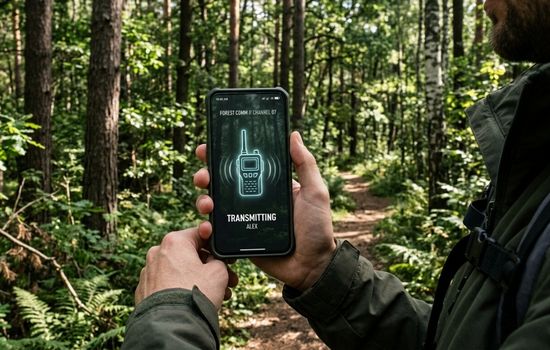
Hikers and outdoor enthusiasts use these apps as safety tools when exploring remote areas. While physical walkie-talkies have limited range, apps connected through mobile networks extend communication capabilities over virtually unlimited distances.
🎮 Recreational and Personal Uses
Beyond professional applications, walkie-talkie apps add fun and functionality to various recreational activities. Gaming communities use them for real-time strategy coordination during multiplayer sessions, providing clearer communication than built-in game chat systems.
Road trip enthusiasts traveling in multiple vehicles stay connected without expensive phone calls. Coordinating stops, sharing interesting sights, and maintaining conversation makes journeys more enjoyable and safer.
Families use these apps at theme parks, shopping malls, or large outdoor venues to stay connected without constant phone calls. Parents can check on teenagers while respecting their independence, and groups can coordinate meeting points effortlessly.
🔒 Privacy and Security Considerations
When transmitting voice communications through digital channels, security becomes paramount. Reputable walkie-talkie apps implement end-to-end encryption to protect conversations from interception and unauthorized access.
Look for apps that offer encrypted channels for sensitive communications, especially in business contexts where proprietary information is discussed. Military-grade encryption standards ensure that only intended recipients can decode messages.
Privacy policies matter significantly. Choose apps from established developers with transparent data handling practices. Understand what information the app collects, how it’s stored, and whether conversations are recorded or retained on servers.
Two-factor authentication adds an extra security layer, preventing unauthorized access even if someone obtains your login credentials. This feature is essential for business users handling confidential communications.
📊 Comparing Popular Walkie-Talkie Apps
The market offers numerous walkie-talkie applications, each with distinct strengths. Understanding these differences helps you select the ideal app for your requirements.
| Feature | Zello | Voxer | Two Way |
|---|---|---|---|
| User Base | 150+ million | 60+ million | 5+ million |
| Encryption | End-to-end available | Standard encryption | Basic security |
| Offline Mode | Limited | Message storage | No |
| Group Capacity | Unlimited | 500 members | 250 members |
| Platform Support | iOS, Android, Windows | iOS, Android | iOS, Android |
Zello stands out for its massive user base and cross-platform compatibility, making it ideal for organizations with diverse device ecosystems. Its channel system supports unlimited participants, perfect for large-scale operations.
Voxer combines walkie-talkie functionality with messaging features, allowing users to replay messages they missed. This hybrid approach works well for users who want flexibility between real-time and asynchronous communication.
🎯 Optimizing Your Walkie-Talkie App Experience
Getting maximum value from your walkie-talkie app requires understanding optimization techniques and best practices that enhance communication quality and efficiency.
Audio Settings Configuration
Adjust your app’s audio settings based on your environment. In quiet spaces, standard sensitivity works well, but noisy environments benefit from increased microphone gain and enhanced noise cancellation features.
Enable speaker mode for hands-free operation, especially during activities where holding your phone isn’t practical. However, use headphones or earbuds in public spaces to maintain privacy and avoid disturbing others.
Battery Management Strategies
Walkie-talkie apps can drain battery quickly due to constant connectivity and audio processing. Enable battery saver modes within the app when possible, and adjust check-in intervals to balance responsiveness with power consumption.
Keep your device charged or carry portable power banks during extended use periods. Background app restrictions on other applications help preserve battery life for your communication needs.
Network Optimization
For best performance, connect to stable Wi-Fi networks whenever available. Cellular connections work reliably but may introduce slight delays or consume significant data, depending on your plan.
In areas with poor connectivity, reduce audio quality settings to maintain connection stability. Lower bitrates require less bandwidth while still providing understandable communication.
🌐 The Future of Walkie-Talkie Technology
Walkie-talkie apps continue evolving with emerging technologies that promise even more impressive capabilities. Artificial intelligence integration will enhance voice recognition, automatic transcription, and real-time translation services.
Imagine speaking in English and having your message instantly translated and transmitted in Spanish to international team members—all happening seamlessly in real-time. This multilingual capability will break down communication barriers globally.
5G networks will dramatically improve audio quality and reduce latency to near-zero levels, making digital push-to-talk indistinguishable from face-to-face conversation. The increased bandwidth supports high-fidelity audio that captures vocal nuances lost in current compressed formats.
Augmented reality integration may overlay visual information during voice communications, displaying speaker identification, location data, or relevant contextual information without interrupting the audio stream.
💡 Practical Tips for Effective Walkie-Talkie Communication
Using walkie-talkie apps effectively requires understanding communication etiquette and best practices that ensure clear, efficient exchanges.
- Keep messages concise: Unlike phone conversations, walkie-talkie communications work best with brief, focused messages that convey information quickly.
- Wait for silence: Avoid interrupting ongoing transmissions. Most apps indicate when someone is speaking, so patience prevents message overlap.
- Identify yourself: In group channels, start with your name so recipients know who’s speaking, especially in larger organizations.
- Use clear language: Speak slowly and enunciate clearly. Rushed speech often becomes garbled, particularly on slower connections.
- Confirm important information: Ask recipients to acknowledge critical messages to ensure they were received and understood.
- Respect quiet hours: Mute notifications during meetings or nighttime unless you’re on-call for emergencies.
🛠️ Troubleshooting Common Issues
Even the best walkie-talkie apps occasionally experience problems. Understanding common issues and their solutions keeps your communication flowing smoothly.
Audio Quality Problems
If recipients complain about garbled or unclear audio, check your microphone for obstructions and ensure you’re speaking at an appropriate distance. Environmental noise can overwhelm microphone sensitivity, so move to quieter locations when possible.
Update your app regularly, as developers frequently release patches that improve audio processing algorithms. Outdated versions may lack important performance enhancements.
Connection Difficulties
Frequent disconnections usually indicate network instability. Switch between Wi-Fi and cellular data to identify which provides better reliability in your location. Restarting the app often resolves temporary connection issues.
Firewall settings on corporate networks sometimes block walkie-talkie app protocols. Contact your IT department to whitelist necessary ports and services if you experience problems on work networks.
Battery Drain Concerns
Excessive battery consumption often results from background processes or incorrect settings. Close unnecessary apps running simultaneously, and verify that your walkie-talkie app isn’t set to maximum quality settings when moderate quality suffices.
Some devices aggressively manage background apps to preserve battery, which can interrupt walkie-talkie connectivity. Add your communication app to battery optimization exceptions in your phone’s settings.
🎓 Learning Resources and Community Support
Most popular walkie-talkie apps maintain active user communities where experienced members share tips, troubleshoot issues, and discuss advanced features. These forums provide valuable insights beyond official documentation.
YouTube tutorials offer visual guides for configuring complex features, especially channel management and administrative controls. Watching experienced users navigate the interface accelerates your learning curve significantly.
Developer blogs and update announcements keep you informed about new features, security patches, and upcoming enhancements. Following these channels ensures you leverage the latest capabilities as soon as they’re released.
🚀 Getting Started with Your First Walkie-Talkie App
Beginning your walkie-talkie app journey is straightforward. Download your chosen app from official stores, create an account, and explore the interface. Most apps offer tutorial modes that explain basic functions and navigation.
Start by creating a private channel with friends or family to practice without pressure. Experiment with different features, test audio quality in various environments, and become comfortable with push-to-talk mechanics.
Once confident with basic operations, expand to group channels relevant to your interests or professional needs. The learning curve is gentle, and within hours you’ll communicate as naturally as you would with traditional walkie-talkies.
The transformation from physical walkie-talkies to sophisticated smartphone apps represents a significant leap in communication technology. These applications combine nostalgic simplicity with modern capabilities, creating tools that serve countless purposes across personal, professional, and emergency contexts. Whether coordinating business operations, staying connected with loved ones, or ensuring safety during outdoor adventures, walkie-talkie apps deliver immediate, reliable communication that keeps us connected in our increasingly mobile world. 📡